How to Fill the Candidate Forms
Step 1: Candidate Registration
- ✅ Enter your Full Name as per documents.
- ✅ Enter a valid 10-digit Mobile Number.
- ✅ Provide a correct Email Address.
- ✅ Set a secure password (minimum 6 characters).
- ✅ Finally, click the Continue button to proceed.
Step 2: Candidate Login
- ✅ Enter registered Email or Mobile.
- ✅ Enter the Password you created.
- ✅ Use Forgot Password? if you forgot the password.
- ✅ Finally, click on Login to enter your dashboard.
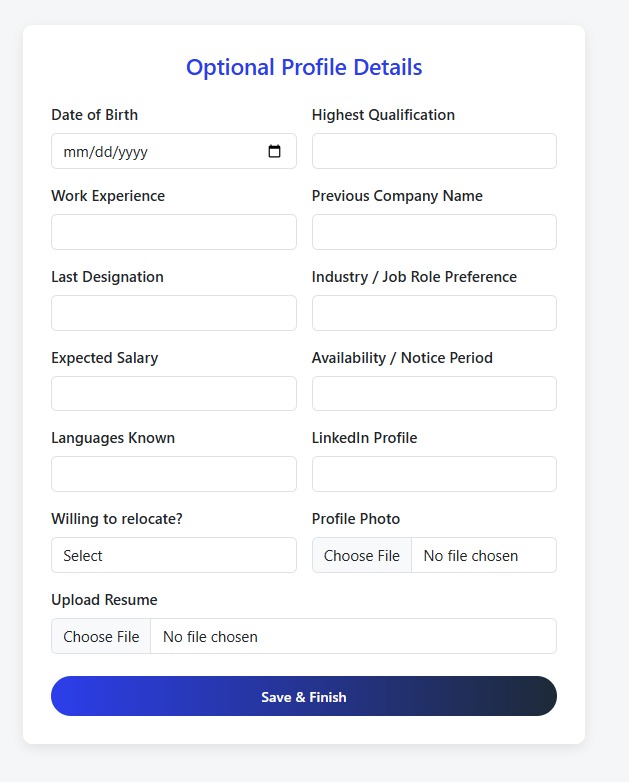
Step 3: Complete Profile (Optional)
- ✅ Enter your Date of Birth and highest qualification.
- ✅ Mention work experience, last company, designation.
- ✅ Specify preferred industry, expected salary, notice period.
- ✅ Optionally add a profile photo and resume.
- ✅ Finally click Save & Finish.
How to Fill the Recruiter Forms
Step 4: Admin Login
- ✅ Enter your Admin Username provided by the system.
- ✅ Enter the correct Admin Password.
- ✅ If you forgot your password, click on Forgot Password? to recover.
- ✅ If you are a new company, click Register Company to create your company account.
- ✅ Finally, click Login to access the admin dashboard.
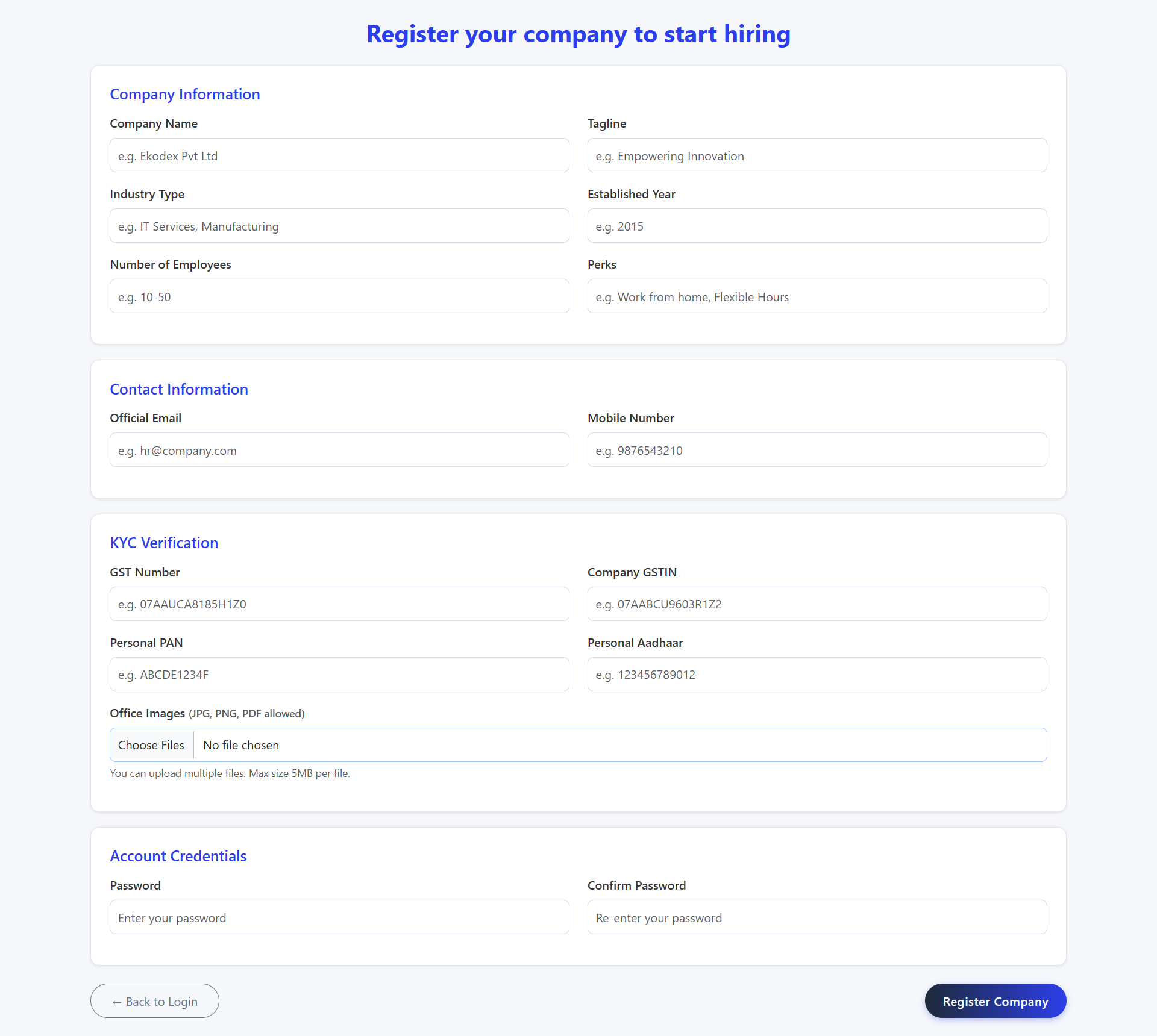
Step 5: Company Registration
- ✅ Enter your Company Name and catchy Tagline.
- ✅ Fill Industry Type, Year Established, and Employee Count.
- ✅ Add Official Email and Mobile Number for contact.
- ✅ Provide GST Number, PAN, and Aadhaar for KYC verification.
- ✅ Upload office images (JPG, PNG, PDF allowed).
- ✅ Set a strong password and confirm it to create admin login credentials.
- ✅ Click on Register Company to submit.